Deaf and hard of hearing
A room where the conversation is already in text — so you never have to ask for a transcript of your own life.
 Meeta
Your choices are saved in this browser only. The site also follows your system settings on first visit.
A social community for disabled people
Meeta is a global social app for disabled people — Deaf and hard of hearing, blind and low vision, wheelchair users, people living with chronic illness or pain, and neurodivergent folks. Find your people, make a plan, and show up exactly as you are.
Meeta is made for Deaf people, hard of hearing people, blind people, people with low vision, wheelchair users, people with mobility disabilities, people with chronic illness, people with chronic pain, autistic people, people with ADHD, dyslexic people, and everyone else who is disabled.
Who it's for
Disability is not one experience, and a good app can't be one size. Meeta starts from the parts of social life that usually cost you extra: the sound you can't hear, the door you can't open, the energy you don't have, the room that's too loud.
A room where the conversation is already in text — so you never have to ask for a transcript of your own life.
Controls that announce themselves, text that survives zoom, and nothing that depends on colour alone.
Know what you're walking into before you commit — the place, the time, and who else is already going.
Make the plan. Change it when your body says so. Come back next week without a lecture.
Fewer things demanding attention. A feed you shape, and content you can hide the moment it grates.
If you don't see yourself on this list, you still belong here. Tell us what we're missing — we'll listen.
How it works
Sign up with email, Google or Apple. Add what you're into. No long questionnaire, and nothing that asks you to explain your body.
Follow who you like, browse your city, and drop into conversations that are already happening near you.
Host a meetup or join someone else's. Your ticket, the group chat and the reminder all live in the same place.
Friendships need a second message. Chat stays open after the event ends, for as long as you both want it.
What's inside
Everything you need to meet someone is in one app — and nothing you don't. No shop, no ads, no streak counter to keep alive.
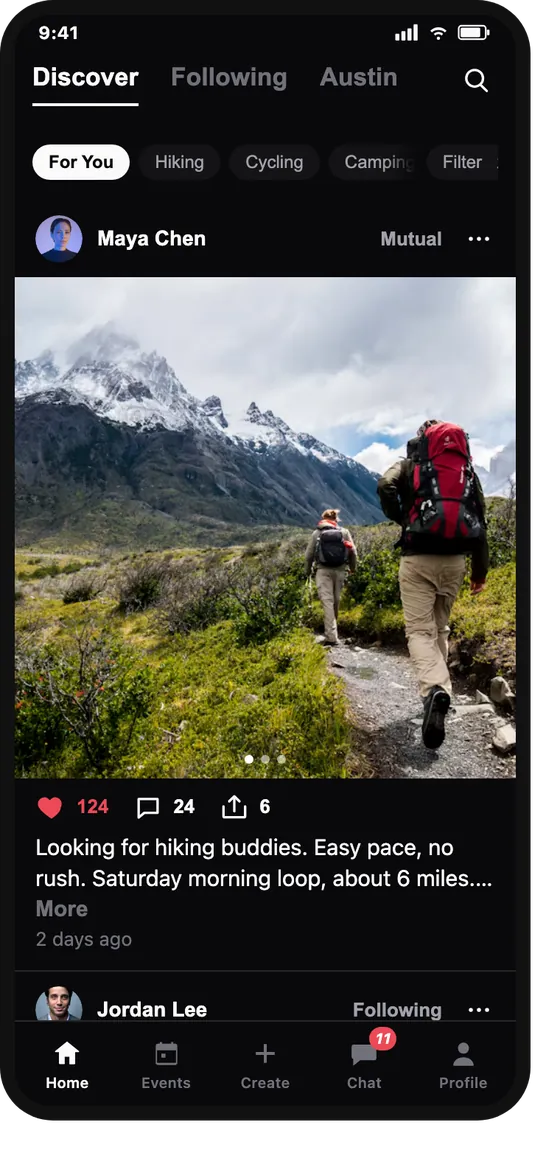
Three feeds: everything, the people you follow, and the city you're in. Like, comment and share — or hide something and never see it again.
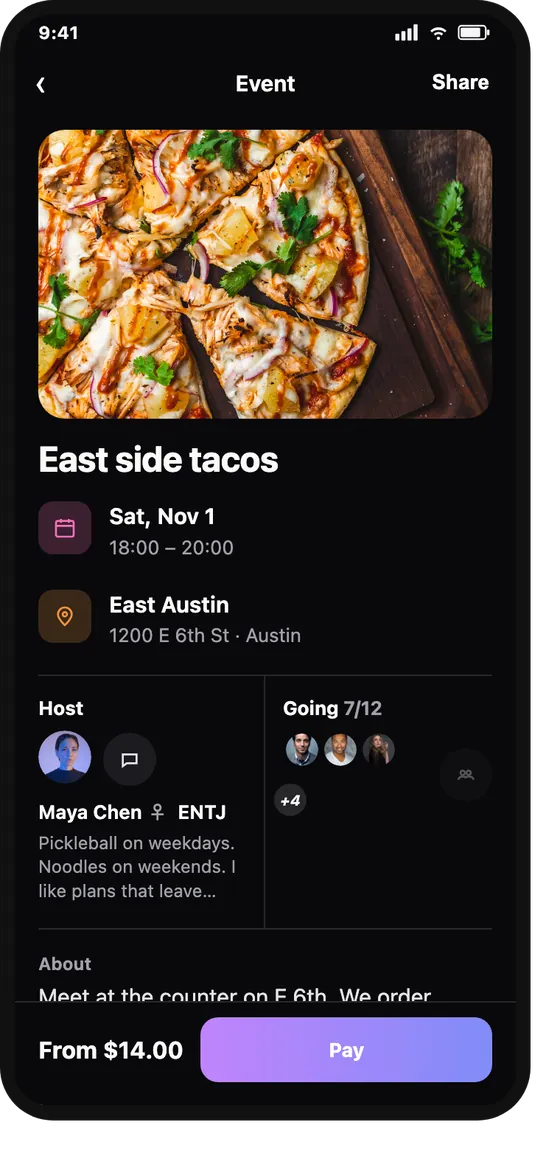
Host a meetup or join one. Tickets, check-in and the event chat come with it, so nobody has to run the group on three different apps.
An assistant that lives in your inbox. Ask it to help plan a meetup, remind you before a night out, or find something you saved. It's labelled Official everywhere, because it is never a person pretending to be your friend.
Lumi · Official
Your hike on Saturday starts at 10:00. It's a 25 minute trip from you — want a reminder at 9:15?
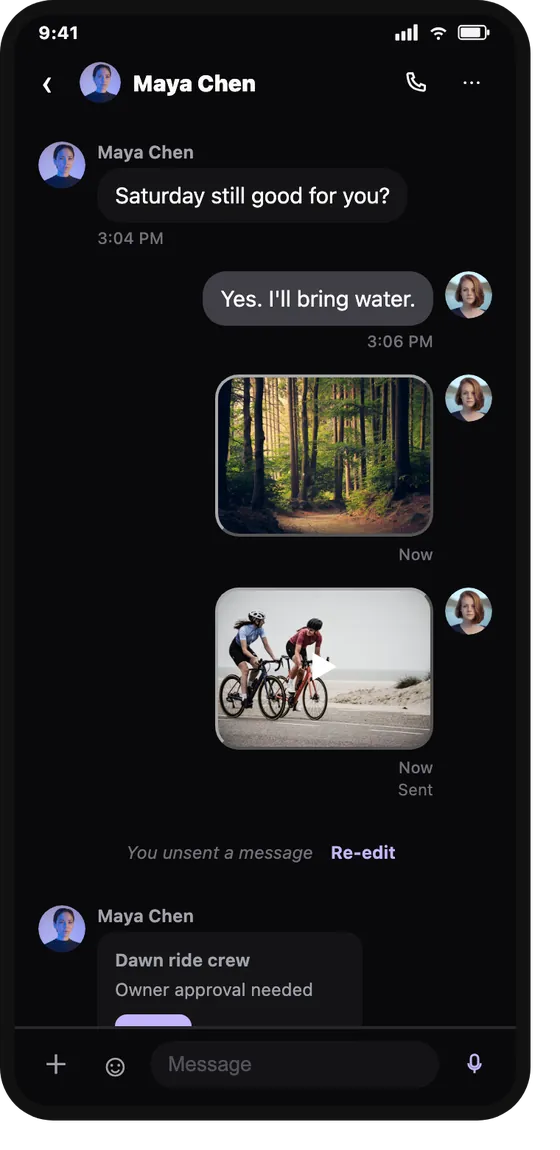
Direct messages and group chats, in text. Voice notes and calls are there when you want them — never the only way in.
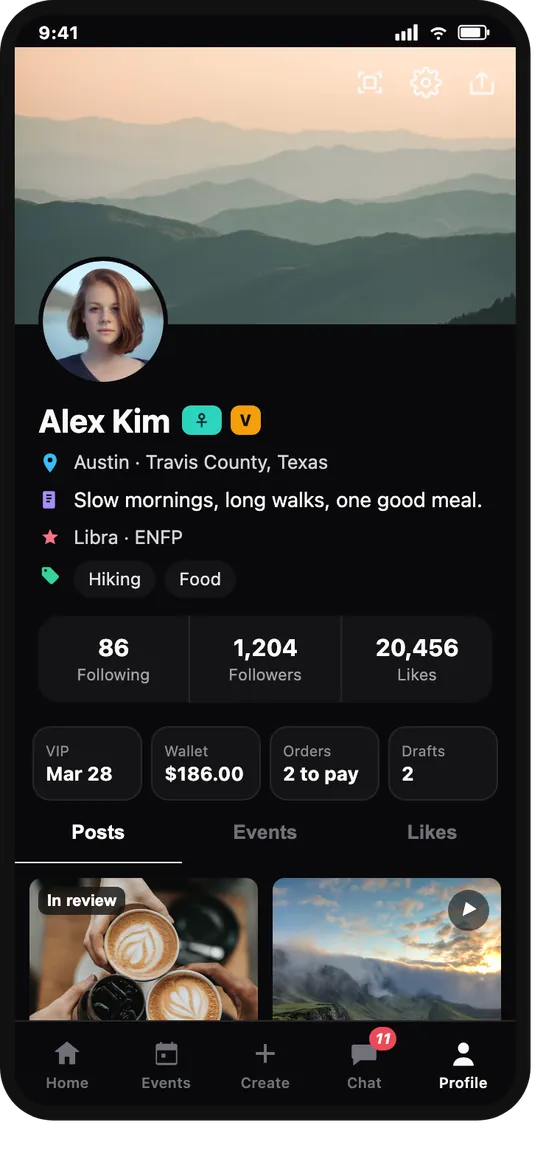
Choose what's public, keep your liked posts to yourself, and use one profile for hosting and for hanging out.
Report, block and review in two taps. Posts go through review before they land in a feed, and reported content can drop out of yours immediately.
Events
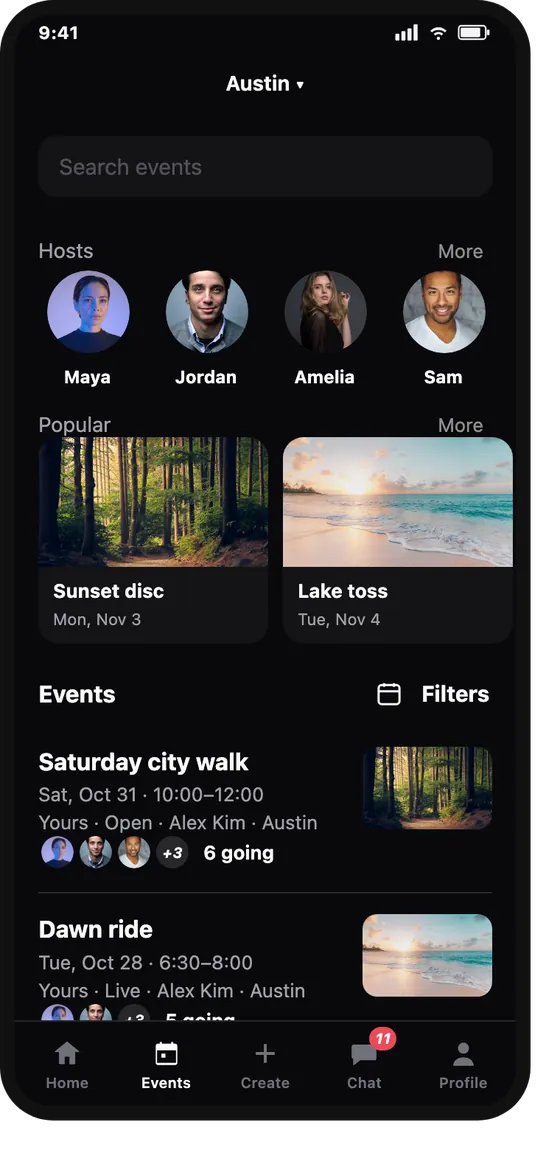
Half the work of showing up is knowing what you're walking into. Meeta puts it up front: the host, the time, the place and who else is already going.
Chat
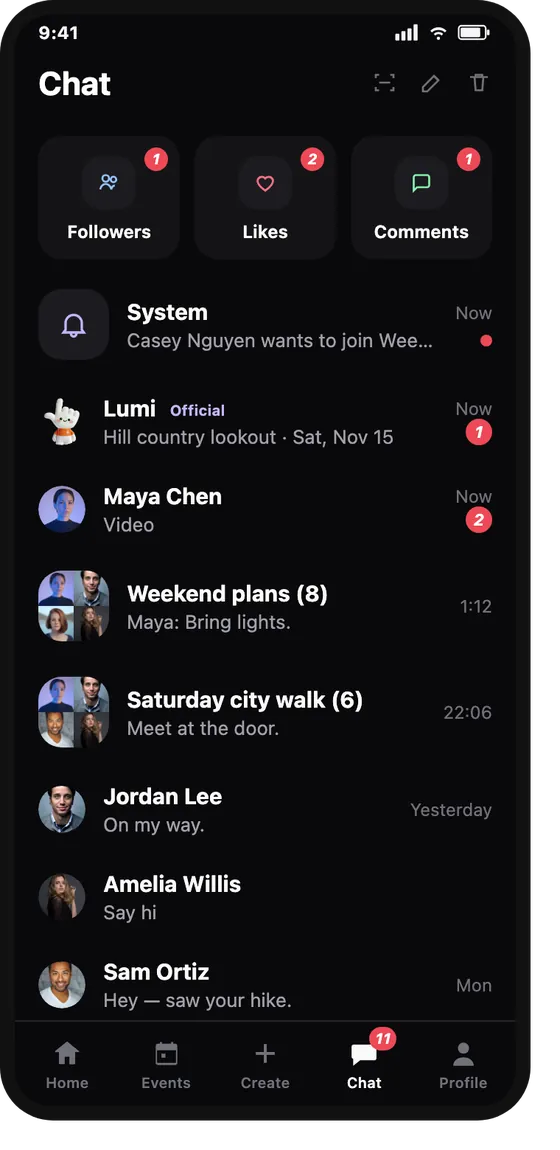
You shouldn't have to be charming out loud to make a friend. Every conversation in Meeta works in text, at your pace.
Accessibility
We test against WCAG 2.2 AA and treat it as a floor, not a finish line. That goes for this website too — the display controls in the header are the same ones we use ourselves.
Semantic structure, named controls, and live regions that announce a change without stealing your focus.
Text scales without clipping or overlap. No horizontal scrolling and no buttons that wander off screen.
Every control and menu works from the keyboard, with a skip link at the top and focus you can follow.
We respect your system's reduced-motion setting, and the switch in the header turns it off here as well.
At least 4.5:1 contrast for text, a high-contrast mode, and nothing that relies on colour to make sense.
Short sentences and no jargon. We would rather be clear than clever, in the app and on this page.
Found a barrier? Tell us — we log every report.
Membership
Posting, joining events and messaging are free, and stay free. Meeta+ is for people who host a lot — or who want the extra reach and no booking fee.
Meeta+
$199per year, in USD
One payment for twelve months. Nothing auto-renews, and you can stay on the free plan forever.
Questions
Adults who are disabled — visibly or not. Deaf, hard of hearing, blind, low vision, wheelchair users, people with chronic illness or pain, neurodivergent people, and anyone whose body or mind doesn't fit the default. You must be 18 or older to use Meeta. If you're an ally, carer or friend, you're welcome too, but the space is centred on disabled people.
Yes. Posting, following people, joining events and messaging cost nothing. Tickets for paid events are set by the host, and Meeta+ is an optional yearly membership for people who want extra capacity. You can use Meeta for years without paying anything.
No. Nothing in sign-up asks for a diagnosis, a date of birth or a phone number. Your profile is a photo, a name and whatever you choose to add. You can share as much or as little as you like, and change it later.
No. Every conversation works in text, including group chats for events. Voice notes and calls exist for people who like them — they are never the only way to take part. No feature requires a phone call.
The first release is in the United States on iOS and Android, in English. We're building for a wider global launch after that — join the early list and we'll tell you the moment your country opens.
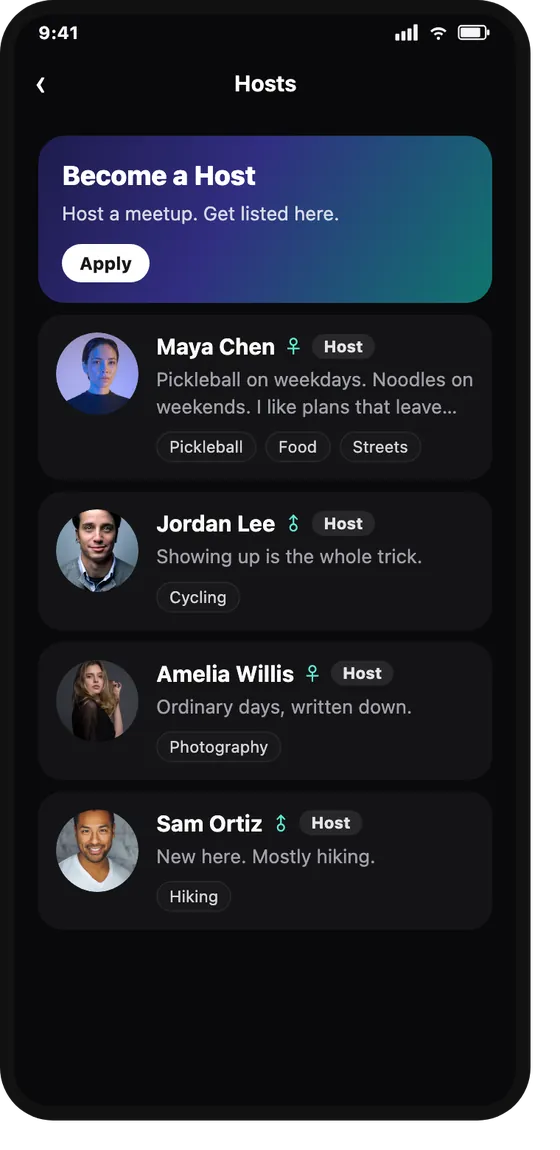
Every account is 18 or over. Posts go through review before they appear in a feed, and you can report or block from almost any screen. Hosts are reviewed before they're listed. Meet in public, tell someone where you're going, and leave if anything feels off — read our event terms for how hosting and refunds work.
Tell us. Email lingxuan.overseas@gmail.com with the screen, the platform and what happened. A person reads it, and we publish what we fixed in our accessibility statement.
Meeta opens in the US first, on iOS and Android — free to join. When there's a date, it will be here, with the download links.
Meeta is for adults 18 and over.